Gluroo provides an experimental integration with the twiist pump (by Sequel Med Tech). Gluroo uses their 1st-party “follow” service to provide this integration.
The integration provides access to both real-time CGM data and real-time bolusing information from the twiist pump.
In this step-by-step guide, we will walk you through the process of using a twiist pump with Gluroo, enabling collaborative care and providing peace of mind for everyone involved. In the following steps, we will be using an iPhone and a twiist pump with a Libre 3+ sensor as an example.
Step 1. Set Up Your My twiist™ Portal
After going through the training for your twiist pump, you can create an account in the My twiist Portal at https://mytwiistportal.com
The twiist integration in Gluroo will not work with the email and password used to log in to your twiist portal.
For the twiist pump Integration to work, you must connect Gluroo through a follower account you create for the twiist insiights app. You can set up this account in your My twiist Portal.
Step 2. Invite an insiight App Follow
After creating a portal account, log in and click “Manage followers” in the insiight App section.
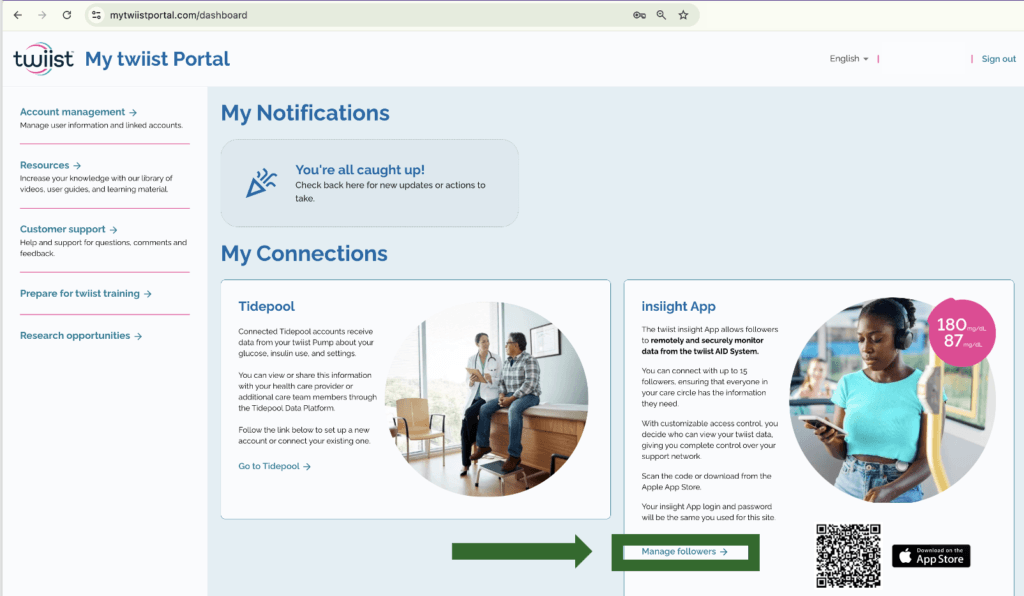
Select “+ Invite a follower” and enter your email. You need to be able to access the email you use to activate the account.
Step 3. Set Up Your Follower Account
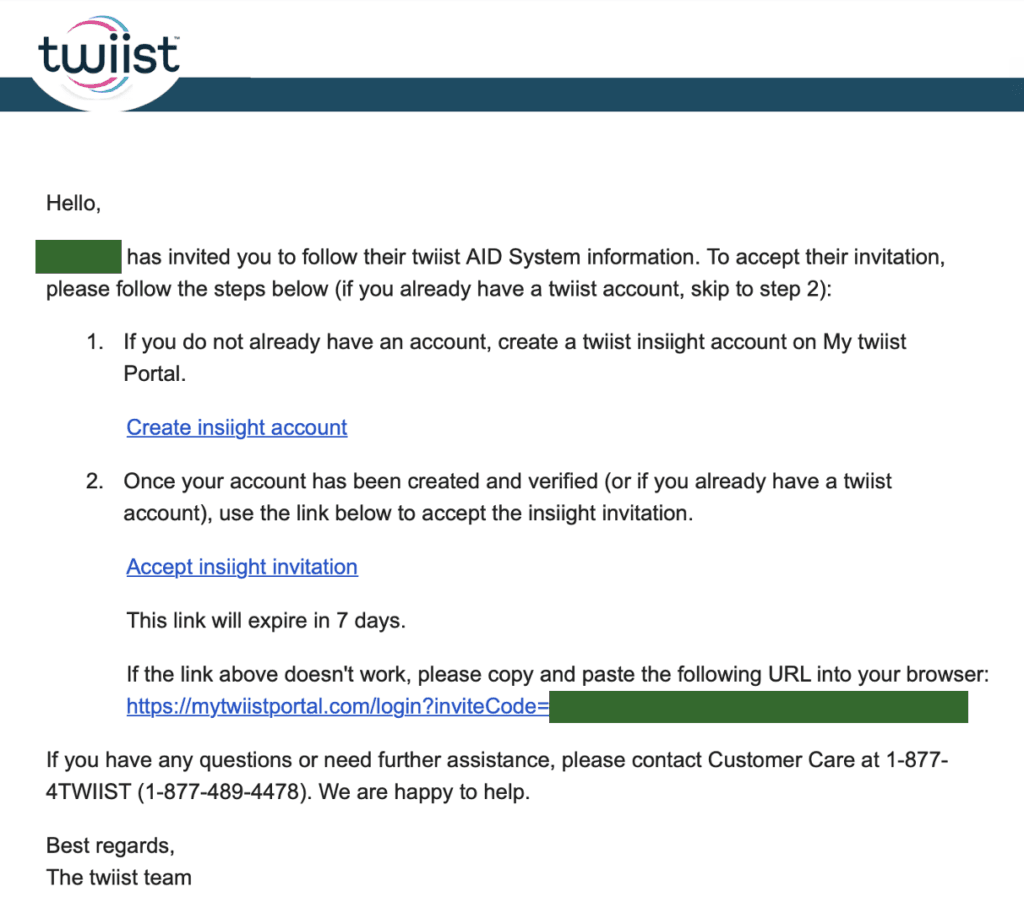
Once you add your email as a follower, you should receive an email from twiist to activate your account. Follow the instructions given. You do not need to download the insiights App for the Gluroo integration to work, you just need an activated account.
Step 4. See Your twiist Data in Gluroo!
Now, to add your twiist as a data source in Gluroo:
- Tap the Menu button in the top left
- Tap “Settings”
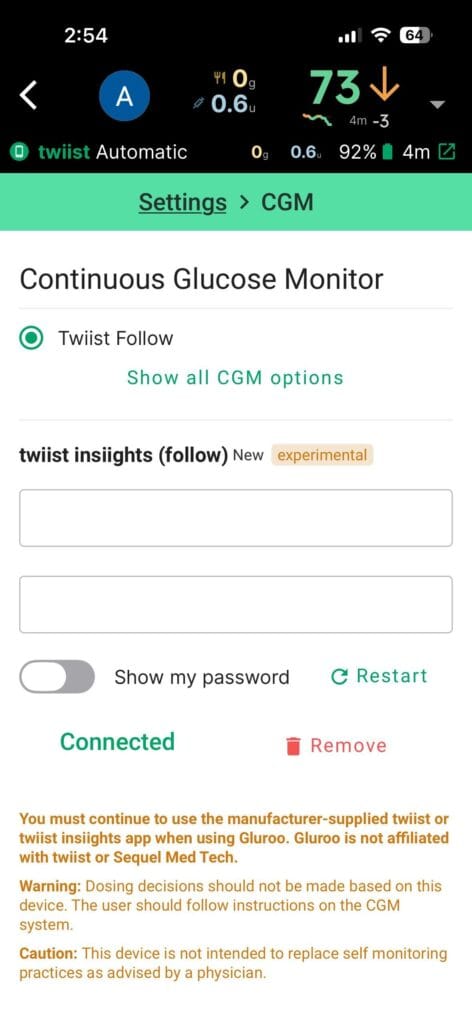
- Tap “CGM”
- Select “Twiist Follow” from the list
- Type in your insiight account username and password (not your My twiist Portal information)
- Press “Connect”
After completing these steps, you should start to see your CGM readings and boluses in Gluroo!
Troubleshooting
If you’ve followed the steps above and still aren’t seeing readings, consider the following:
- Confirm you are using the correct credentials for your insiights account, not your My twiist Portal. You can try logging in at https://mytwiistportal.com
- Always check first if you can see your data correctly in the twiist app! It can also be helpful to download the insiights app to confirm you can see information there as well. This lets us know if the issue is between the twiist and insiights, or insiights and Gluroo. If you cannot access your readings in insiights, then Gluroo definitely can’t get them either.
- Try hitting the “Restart” button on the right below your twiist insiight credentials under Menu > Settings > CGM.
- If none of the above is working, please email us from in the app by pressing “Help” and then “@ Email help@gluroo.com“. If you email us directly, be sure you always include your Group Id from the bottom right of the Menu > Help screen.
You must continue to use the manufacturer-supplied twiist app(s) when using Gluroo. Gluroo is not affiliated with Sequel Med Tech or their twiist pump. This integration has not been reviewed nor approved by Sequel Med Tech nor Tidepool.
Caution: Gluroo is NOT for medical use, does not provide medical advice.
Caution: Always follow the advice of your physician or healthcare professional.
Caution: Gluroo has not been reviewed by the FDA or any other regulatory body.