We submitted a new version of Gluroo (1.9.66) to the App and Play stores and it will be rolling out soon. This release includes several bugfixes and a good handful of new functionality including:
- You can now take a photo of a BG reading on a meter in order to make a fingerprick reading entry into your log.
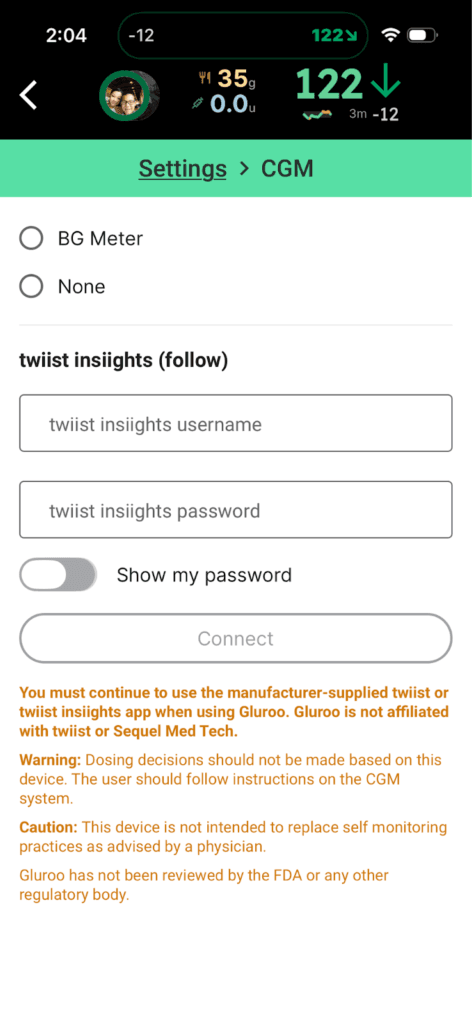
- Experimental support for twiist pump (by Sequel Med Tech) follow support. Gluroo is not affiliated with Sequel Med Tech or their twiist pump. You use your twiist insights username and password to sign up from Menu > CGM … “twiist follow”. Important note: the twiist option is NOT available during onboarding in this version. Just finish onboarding, and proceed to Menu > CGM to select twiist.
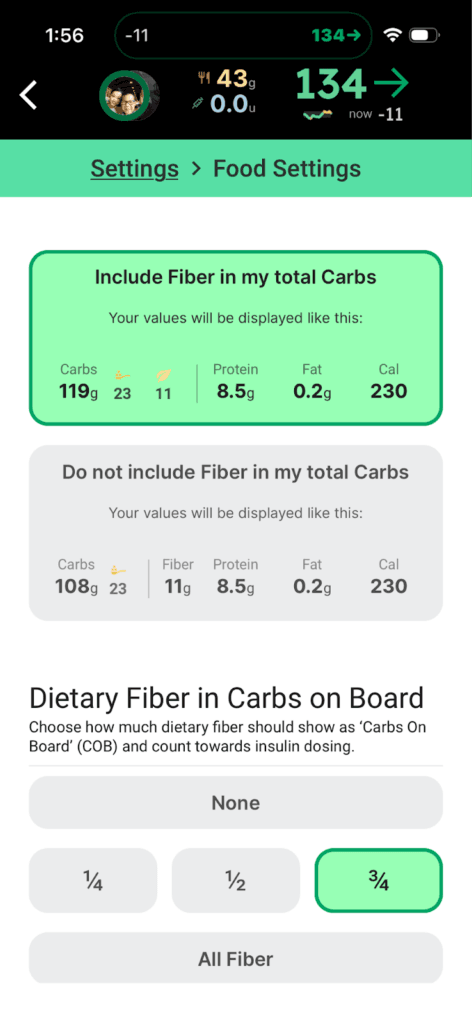
- There’s a new Menu > Settings > Other where you can set whether Gluroo should treat Fiber as included in the total carbs it shows you or not. There’s also a setting to describe what fraction of fiber to include as carbs on board (and for the digital dosing table).
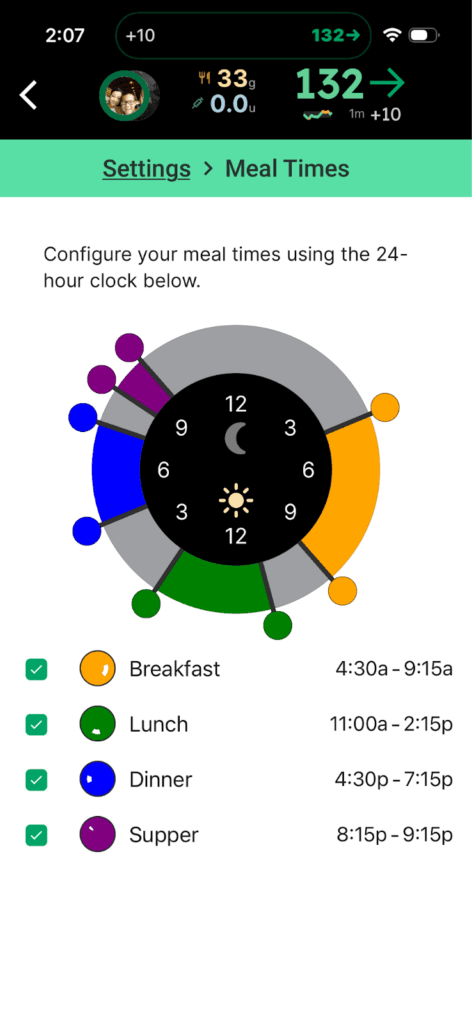
- There’s a new Menu > Settings > Meal times for customizing meal times (auto-filling the mealName when logging)
- On the HUD screen, a CGM value overridden by a fingerprick (“fp”) blood glucose reading now shows much more prominently than before.
- The Natural Language Parser now understands time modifiers such as “4hrs ago” (it used to have to be “4h ago”)
- In the Gluroo Event Log (GEL), an Intervention Snack now shows its number of grams of sugar in addition to the snack name and count.
- Onboarding of new users now has a single page with all the legalese as four separate checkboxes and links away to the legal documents.
- Meal names now show in messages as a badged word instead of as a hashtag.
- The Gluroo chatbot now has a more comprehensive ability to look around at your data when answering your questions. Try it with “@Gluroo [your message to the chatbot]” and tell us what you think. Subsequent responses do not need the @Gluroo if they come relatively quickly.
- There is a new warning modal if you’re using a feature that depends on notifications being turned on and you’ve disabled the notifications permission at the system level.
- There’s also a new warning modal if you’re on Android using GLI and your special app access “Notification access” is off for Gluroo. Somehow that got turned off for some users with the last update, so this should alert you to that and engage you to turn it back on (or turn off GLI).
- Menu > Insights now has the ability to send your AGP and Clinical insights report to you or any email address you provide (you used to have to go to https://app.gluroo.com, sign in, download it and print/save-as-pdf yourself).
- Medicine reminders now support every-other and every-third day, and every-other week.
Give us your feedback by joining the Facebook Gluroo Diabetes Logger Community
And please follow us our facebook page: Gluroo Diabetes Logger