Swipe or use the arrows to step through the highlights. Open them full size or download the PDF.
We submitted a new version of Gluroo (2.3.39) to the App and Play stores, and it will roll out over the next few days. It comes just days after 2.3.26, with a few new features and a lot of polish. Features marked experimental are new, and we need your feedback. Tell us what you think in the Gluroo Facebook user group or at help@gluroo.com.
Features marked rolling out gradually are turned on for more accounts over time. If one of them isn’t in your app yet, it hasn’t reached your account. Write to help@gluroo.com if you’d like to try it sooner.
New
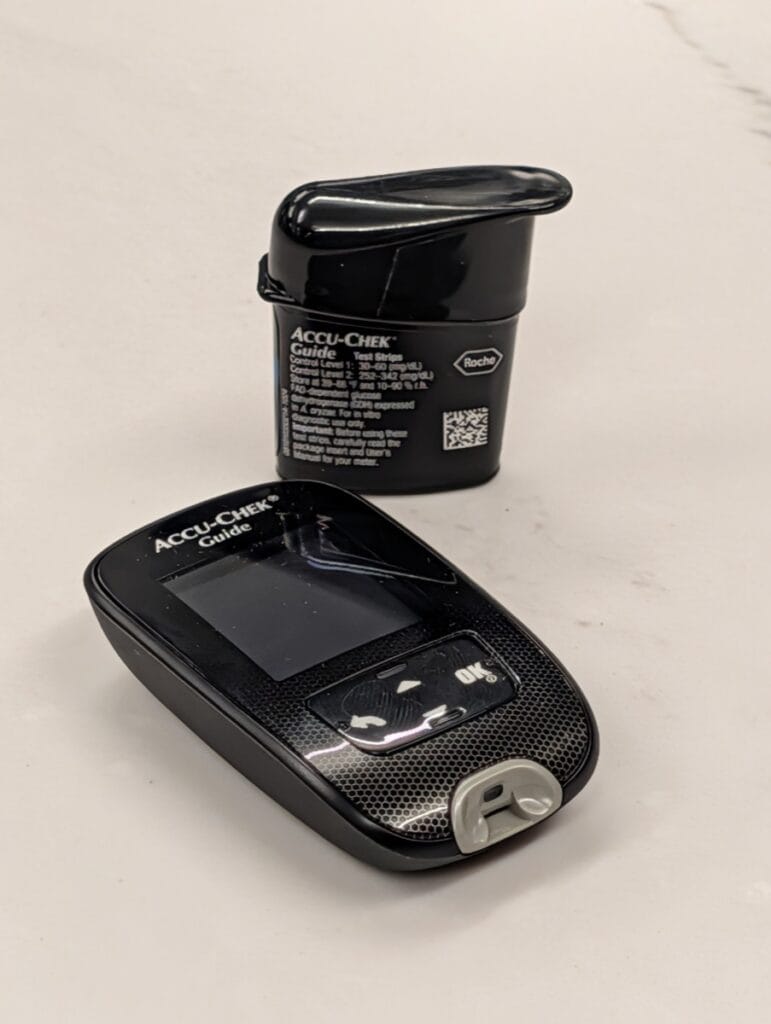
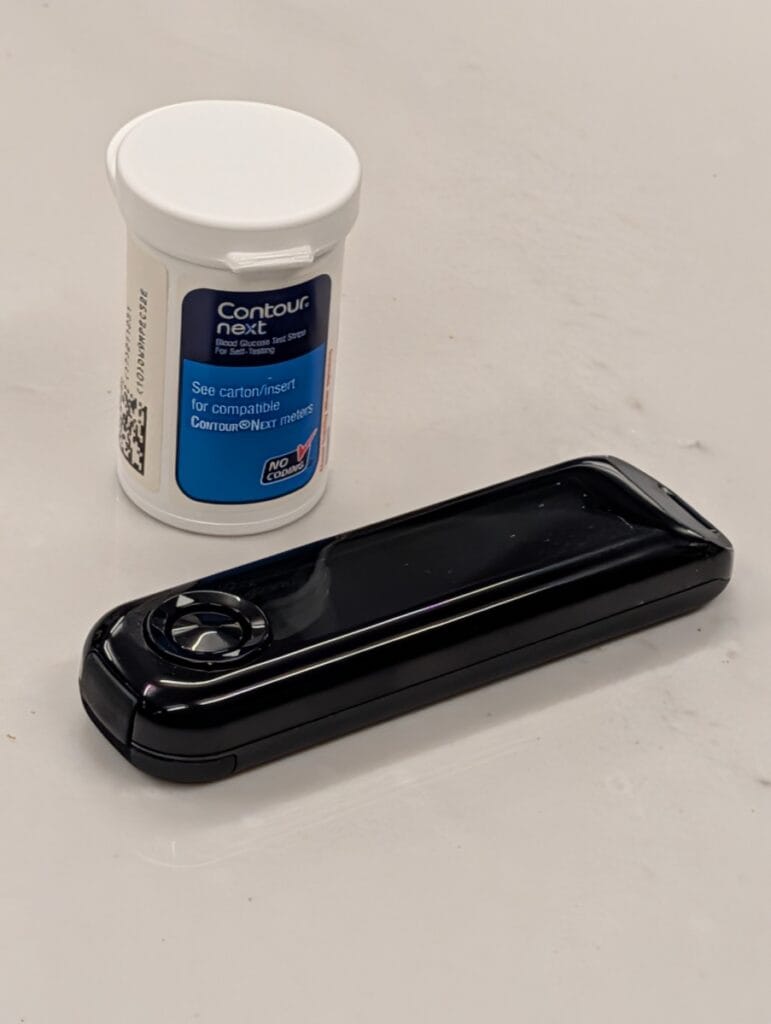
- Bluetooth fingerstick meters (experimental). Gluroo can now read fingerstick readings straight from many Bluetooth BG meters and log them for your GluCrew. We’ve tested the Accu-Chek Guide by Roche and the Contour Next One (pictured below). Other meters may work too, including the Accu-Chek Guide Me and Instant, the Contour Plus One, the OneTouch Verio Flex and Verio Reflect, and others that use the standard Bluetooth glucose service. All of them are experimental. Go to Menu > Settings > CGM | BG Meter and tap “Set up your Bluetooth meter”. Gluroo pairs with the meter, offers to add its recent readings (ones already in Gluroo aren’t added twice), and then picks up new fingersticks when you open the app with the meter nearby (at most once an hour), when you tap Sync now, or from a BG Meter Reminder. Your meter keeps working with its own app. We need your help: tell us at help@gluroo.com which meter you have, your GluCrew ID (Menu > Help) and whether it worked, so we can mark more meters as supported.
Tested Bluetooth BG meters: the Accu-Chek Guide by Roche and the Contour Next One. Other meters may work too, and all of them are experimental.
- Roo Insights in your GluCrew’s log. Roo looks for patterns in your past glucose data and may post an occasional insight to the log in the morning, at most one a day. Insights are observations about the past, not medical advice: review them with your care team before changing anything. To turn them off for your GluCrew, go to Menu > Settings > Notifications > Roo Insights and choose “Do not post Roo Insights”. Everyone in your GluCrew needs this version of Gluroo (or later) before insights start.
- Discover (US only, rolling out gradually). A new Discover page in the menu with a curated list of diabetes products: glucose tabs and gels, overpatches, Bluetooth meters, voice assistants, glucose displays, storage and more. Filter by category, or by what works with your phone. Some links are affiliate links, which help support Gluroo at no extra cost to you.
- SIBIONICS CGM (experimental, Android). If Gluroo reads your glucose from your CGM app’s notification on Android, it now recognizes the SIBIONICS apps (including GS3).
Improved
- Apple Watch without the internet. If your iPhone gets readings straight from your Dexcom G7 (Direct Dexcom G7), Gluroo now passes them to your Apple Watch app with no internet connection on either device. Watch complications also update more reliably when your watch is away from your iPhone.
- A better Apple Watch chart. The chart on your watch now shows your current reading in large type (or the reading you’re touching as you drag), and your time in range for the hours shown. Meals, boluses, basal, snacks for lows, exercise and fingersticks appear as markers, the same as on the app’s chart. Turn the Digital Crown for a new 2-hour view (5 hours is still the default). The chart’s height now follows your target range, like in the app.
- Direct Dexcom G7 follows your new sensor (iPhone). When you start a new G7, Gluroo switches to it on its own: as soon as you log the new sensor, or after the old one has been quiet for 10 minutes.
- Filter your Log search. The search bar has a new filter button. Pick entry types, who an entry is from (Gluroo or any GluCrew member) and its source (@Roo, warnings, or each integration), and choose whether entries must match any or all of your choices. There’s also a new Hashtags filter, and a row of your GluCrew’s recent hashtags above the search bar: tap one to search for it.
- Tandem site changes from tconnectsync. Site changes posted to Gluroo through Nightscout (by tconnectsync, Loop or AAPS) are now logged as infusion site changes, so your site age shows in the status page and subheader. Duplicate site and sensor changes from more than one source are logged once.
- Insulin on board with one decimal everywhere: widgets, Live Activities, Alexa, Wear OS and the web dashboard now match the app.
- The Chart tab opens at the current time instead of where you last scrolled to.
- Android widgets no longer get cut off on the home screen after you’ve used your phone sideways.
- Reminder badges in the Log are colored by the kind of reminder, in light and dark mode.
- Other fixes. Old meal reminders that no longer showed in Settings (and couldn’t be turned off) stopped firing. The Recent Photos tray only offers photos from the last few minutes, and its OK button no longer goes missing after you pick a photo. Switching from Meal to another action while adding a log entry no longer crashes the app. On Android, the tips panel under the header is no longer too tall. Contour meters have clearer pairing steps. Omnipod 5 users no longer get a false “Pod may not be in Automated mode” message. When you tap Restart to fetch your CGM from the phone, the result now shows as plain text and the new value appears in the header right away. Plus translation fixes.
Send us email at help@gluroo.com with your questions — be sure to include your group_id from Menu > Help.
Please also remember to join our FB User Community for questions about Gluroo. Join now