We submitted a new version of Gluroo (2.1.64) to the App and Play stores and it will be rolling out soon. This version has the usual bunch of bug fixes and performance enhancements. In addition it has the following changes and new functionality:
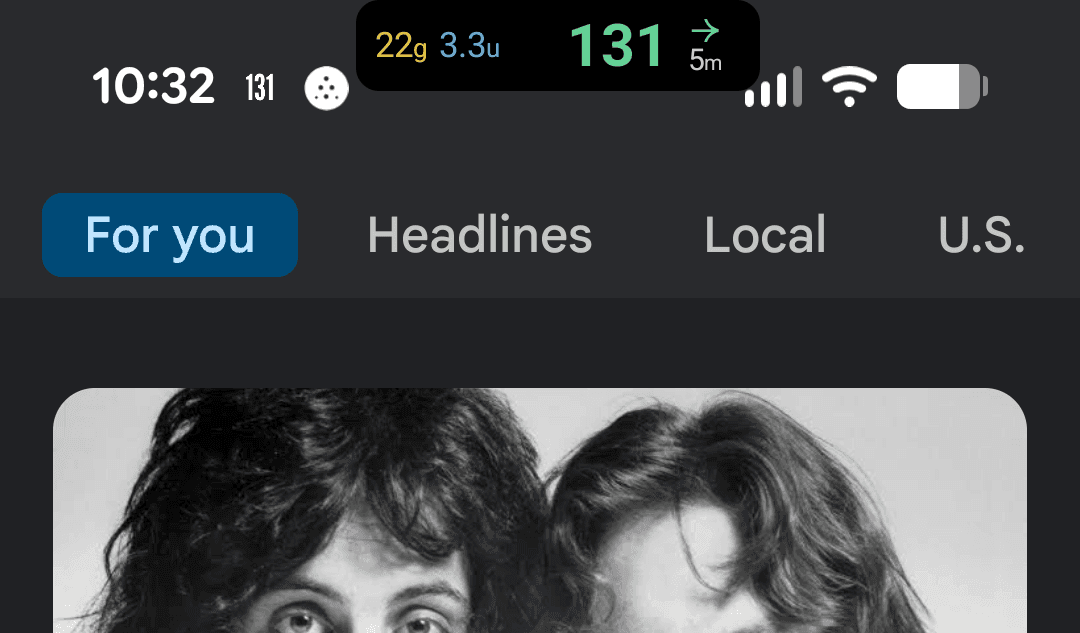
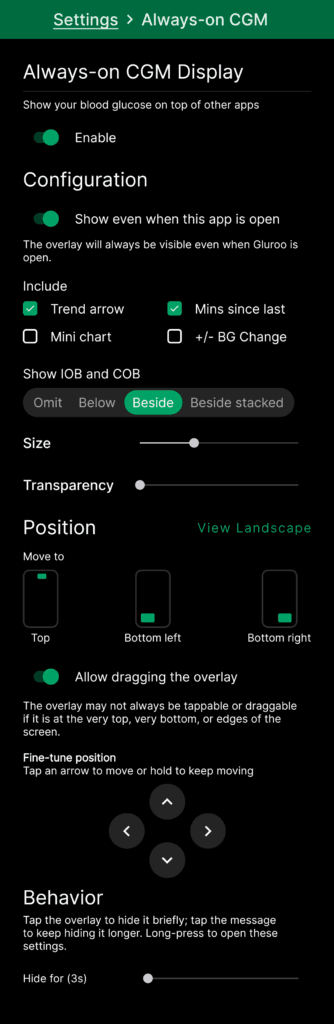
- New Android Always-On CGM Display that uses an overlay on top of other apps – try it from Settings > Show CGM on… “Always On CGM Display”
- New more refined Heads-Up Display look
- Improved iOS Live Activities to stay visible more and longer, and be more robust against production cache issues.
- Troops screen now uses a drop-down selector to pick which troop to view rather than horizontal tabs for each troop.
- Better layout of labeled items on the Chart display
- Updated the look of all the other graphical charts in the app (e.g., under Menu > Insights) to eliminate an old dependency.
- Plus menu action trays (submenus like DosingAction, etc) now show without the TabNavigator visible and with an “X” in the top left instead of a “<” back or “X” in the bottom right).
- Device QR codes are now recognized even in photos picked from the media library or if you accidentally snap the shutter on a device/QR code.
- Attempt to support more CGM notification types on Android using Gluroo Local Integration (GLI) including Eversense app and better support for CamAPS.
- Attempt to fix some problems with Google Health synchronization stopping for some users
- Alpha release of Showing CGM on Lock Screen & Status bar using Android Live Updates; that makes a notification that show expanded on the lock screen and, when space is available, in the notification tray status bar at the top of the screen.
We will provide more documentation about the Always-On CGM Display for Android soon. It’s one of the most important and delightful new features we’ve shipped this year and we hope you’ll spread the word about it being available now in Gluroo and GotCGM (see GotCGM 2.1.62 release notes).
Send us email at help@gluroo.com with your questions — be sure to include your group_id from Menu > Help.
Please also remember to join our FB User Community for questions about Gluroo. Join now